
MyTonic1.7.0 - Google Play
You'll be able to see results in few seconds.
Publisher Description
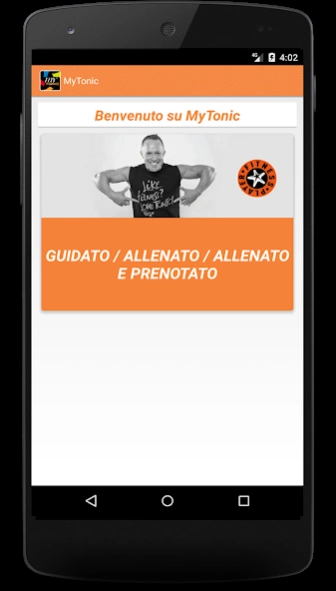
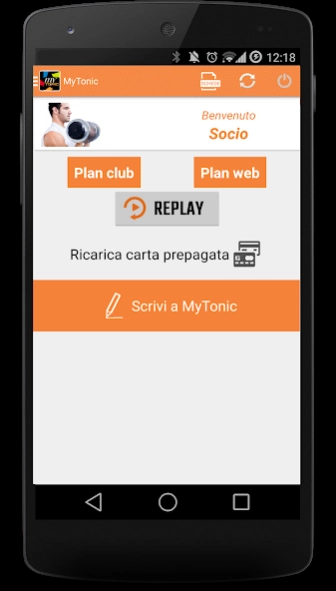
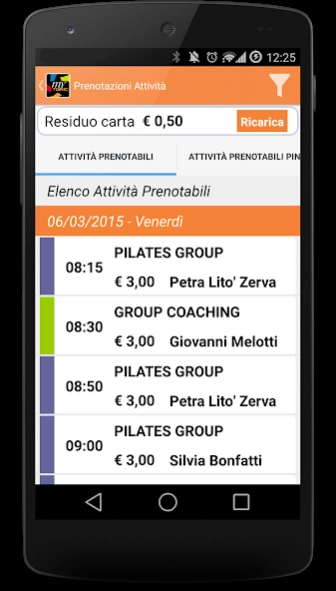

Mytonic Web Edition is the App For Members Fitness Player network Tonic
Mytonic Web Edition (MYTONIC WE) is the application reserved for members of the network Tonic Fitness player who train with the exclusive method "Tonic followed you." Run to your Life Coach, ask your login credentials and find out how to make memorable your desire to be Tonic!
MYTONIC WE, in fact, will allow you to always have on hand your "fitness trail" and graphically display the progress of your state of fitness (from the initial value, the current one, with reference to your objectives and base ideal).
Thank MYTONIC WE'll always be able to download the cards customized training (to attend the activities of Group Training) and your guides Food Day Slim (indispensable to coordinate calorie needs, nutritional needs and locomotor training). You can also keep track of your habits frequency, recording motor activities to which you have participated with their credits Motors conquered.
In addition, MYTONIC WE will allow you to recharge your Tonic Card and consequently to book directly on-line activities in mini-group of your interest, the Setup with Life Coach preferred and any medical and fitness check with the doctor Sports club. Finally, with MYTONIC WE can also access "GoTonic", the Web Television that offers a full schedule of activities in "home" format quick to fifteen minutes to train with Tonic even when you can not be at the club. Because wherever you are, Tonic is always with you!
About MyTonic
The company that develops MyTonic is Fitnet srl. The latest version released by its developer is 1.7.0.
To install MyTonic on your Android device, just click the green Continue To App button above to start the installation process. The app is listed on our website since 2021-06-08 and was downloaded 0 times. We have already checked if the download link is safe, however for your own protection we recommend that you scan the downloaded app with your antivirus. Your antivirus may detect the MyTonic as malware as malware if the download link to com.fitnet.mytonic is broken.
How to install MyTonic on your Android device:
- Click on the Continue To App button on our website. This will redirect you to Google Play.
- Once the MyTonic is shown in the Google Play listing of your Android device, you can start its download and installation. Tap on the Install button located below the search bar and to the right of the app icon.
- A pop-up window with the permissions required by MyTonic will be shown. Click on Accept to continue the process.
- MyTonic will be downloaded onto your device, displaying a progress. Once the download completes, the installation will start and you'll get a notification after the installation is finished.
Program Details
System requirements
Download information
Pricing
Version History
version 1.7.0
posted on 2021-06-08
Nuove nomenclature
Nuovo valore pagamenti in stelle
Disclaimer
Official Google Play Link
We do not host MyTonic on our servers. We did not scan it for viruses, adware, spyware or other type of malware. This app is hosted by Google and passed their terms and conditions to be listed there. We recommend caution when installing it.
The Google Play link for MyTonic is provided to you by apps112.com without any warranties, representations or guarantees of any kind, so access it at your own risk.
If you have questions regarding this particular app contact the publisher directly. For questions about the functionalities of apps112.com contact us.
